
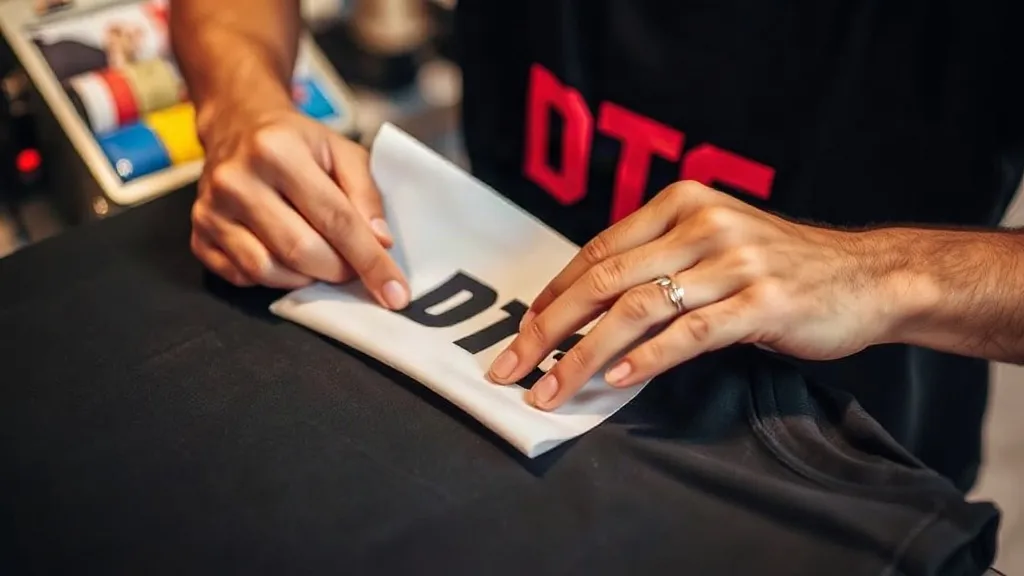
So you've heard about DTF transfers and want to try them, but you're not sure where to start. Maybe you've seen stunning custom apparel online and thought, "I could do that." The good news is you absolutely can. DTF printing is one of the most accessible and versatile methods for decorating fabrics, and with a little guidance, you'll be producing professional-looking prints in no time. This guide walks you through the entire process, from picking a design to pressing it onto a shirt, with practical tips to avoid common pitfalls.
What Are DTF Transfers and Why Are They So Popular?
DTF stands for Direct to Film. It's a printing technique where your design is printed onto a special film, dusted with adhesive powder, and then heat-pressed onto fabric. Unlike other methods, DTF works on almost any material: cotton, polyester, blends, even nylon and canvas. That versatility is a big reason why it's taken the crafting world by storm. You don't need different setups for different fabrics; one system handles them all.
Another advantage is the ability to print full-color, photographic designs with fine details. Traditional screen printing struggles with gradients and small text, but DTF handles them beautifully. Plus, the prints are stretchy and durable, so they hold up well on activewear and everyday garments.
Getting Started: What You'll Need
Before you dive in, gather your supplies. Here's a basic checklist:
- DTF printer (or a service that prints films for you)
- DTF film (cold or hot peel, depending on your preference)
- DTF powder (adhesive powder)
- Heat press (or a home iron with consistent pressure)
- Heat-resistant tape
- Teflon sheet or parchment paper
- Weeding tools (tweezers, scissors)
- Lint roller
If you're not ready to invest in a printer, many companies offer dtf transfers printing services. You simply upload your design and receive ready-to-press films. This is a great way to test the waters before committing to equipment.
Step-by-Step DTF Transfer Process
1. Prepare Your Design
Start with a high-resolution image (300 DPI is ideal). Remember that DTF prints on a white film, so light colors may need a white underbase. Most RIP software handles this automatically, but it's good to understand the process. Also, mirror your design horizontally before printing, as you'll be pressing it face down.
2. Print on DTF Film
Load your film into the printer and print using the correct settings for DTF. Ensure the printer is equipped with DTF inks (usually CMYK plus white). If you're using a converted printer, make sure the white ink is circulating properly to avoid clogs.
3. Apply Adhesive Powder
While the ink is still wet, sprinkle the DTF powder generously over the printed area. Shake off the excess and return it to the container for reuse. Then, cure the powder using a heat source (a heat gun or oven) until it melts and becomes glossy. This step is crucial for the transfer's durability.
4. Press the Transfer
Set your heat press to the temperature and time recommended for your fabric (typically around 300°F to 320°F for 10-15 seconds). Place the transfer face down on the garment, cover with a Teflon sheet, and press with firm pressure. Allow it to cool completely before peeling the film. Cold peel films require the transfer to cool down, while hot peel films can be removed immediately.
Choosing the Right DTF Supplies
Not all DTF films and powders are created equal. The quality of your supplies directly affects the final result. Look for films that are compatible with your printer and offer easy release. Powders should be fine and melt evenly. If you're outsourcing, check reviews for dtf transfers near me to find a reliable local printer. Many online services also provide fast turnaround and shipping.
Common DTF Problems and How to Fix Them
Prints Cracking or Fading
This usually happens due to insufficient pressure, incorrect temperature, or not enough powder. Make sure your press is calibrated and apply consistent pressure. Also, ensure the powder is fully melted before pressing.
Film Not Peeling Smoothly
If the film sticks or tears, it might be due to pressing while too hot (for cold peel) or not enough cooling time. Follow the film manufacturer's instructions for peel type. Additionally, check that the powder is fully cured; undercured powder can cause the film to adhere too strongly.
Colors Look Dull
Dull colors can result from low ink saturation or printing on the wrong side of the film. Always print on the coated side. Also, ensure your printer settings are set for high quality and that the white ink layer is sufficient.
DTF vs. Other Printing Methods
How does DTF stack up against vinyl, screen printing, and DTG? Vinyl is great for simple shapes but limited in color. Screen printing is cost-effective for large orders but requires separate screens for each color. DTG (Direct to Garment) is excellent for cotton but less effective on synthetics. DTF, on the other hand, works on almost any fabric, requires no minimum order, and handles complex designs with ease. It's a fantastic all-rounder for small businesses and hobbyists.
Tips for Long-Lasting Prints
- Wash garments inside out in cold water.
- Avoid using fabric softener or bleach.
- Tumble dry on low or hang dry.
- Do not iron directly on the print; use a pressing cloth.
Following these care instructions will keep your DTF prints looking vibrant for years.
Frequently Asked Questions
Can I use DTF transfers on dark shirts?
Absolutely. DTF prints include a white ink layer that makes colors pop on dark fabrics. Just ensure your design has enough white underbase.
How long do DTF transfers last?
With proper application and care, DTF prints can last 50+ washes or more. They are highly durable when pressed correctly.
Do I need a special printer for DTF?
You can use a dedicated DTF printer or convert an existing inkjet printer with DTF inks and a RIP software. However, dedicated printers are recommended for consistent results.
What is the best heat press temperature for DTF?
Typically, 300°F to 320°F (150°C to 160°C) for 10-15 seconds. Always check your film and powder instructions for specific recommendations.
Can I layer DTF transfers?
Yes, you can layer multiple transfers, but it's best to press each layer separately and ensure proper adhesion. Keep in mind that layering may make the print thicker.
Ready to give DTF a try? With the right supplies and a bit of practice, you'll be creating stunning custom apparel in no time. For high-quality DTF transfers and supplies, visit our shop at dtfcrafters.com.